Upload Dataset
Registered users can upload their datasets to Nano-Org. Please complete the upload form as thoroughly as possible. Providing detailed information helps enhance dataset accessibility and improves filtering accuracy.
Upload Form Instructions
The upload form consists of several fields and options. Below is a detailed guide to help you complete the form accurately.
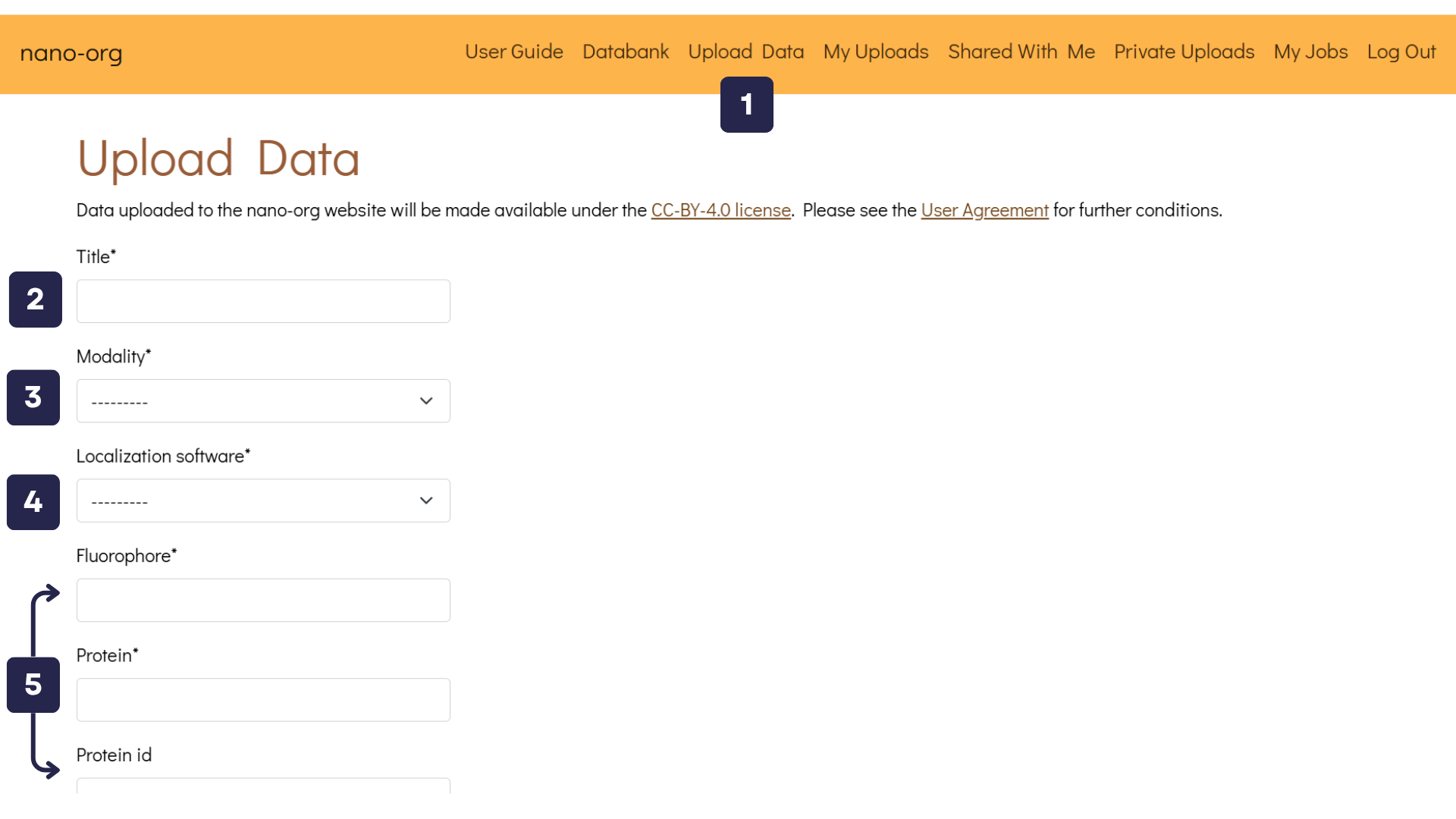
- Upload Data Button: Once logged in, you'll find the Upload Data button in the navigation bar. Clicking this button takes you to a page where you can upload files and describe your datasets.
- Title Text Box: Assign a unique title to your uploaded data, such as SPL76 mEos3.3 Jurkat on aCD3aCD28 5mins.
- Modality Text Box: Select the imaging modality used. Options include PALM, dSTORM, PAINT, and others. If you are uploading dSTORM data, you will be asked to provide details about the primary and secondary antibodies used, including their reference numbers.
- Localisation Software Text Box: Specify the localisation software utilised. Available choices include ThunderSTORM, SMAP, Picasso, DECODE, RapidSTORM, and others.
- Experimental Metadata Text Boxes: Enter relevant experimental details such as fluorophore type, protein name, UniProt protein ID (if available), cell type, and other relevant metadata.
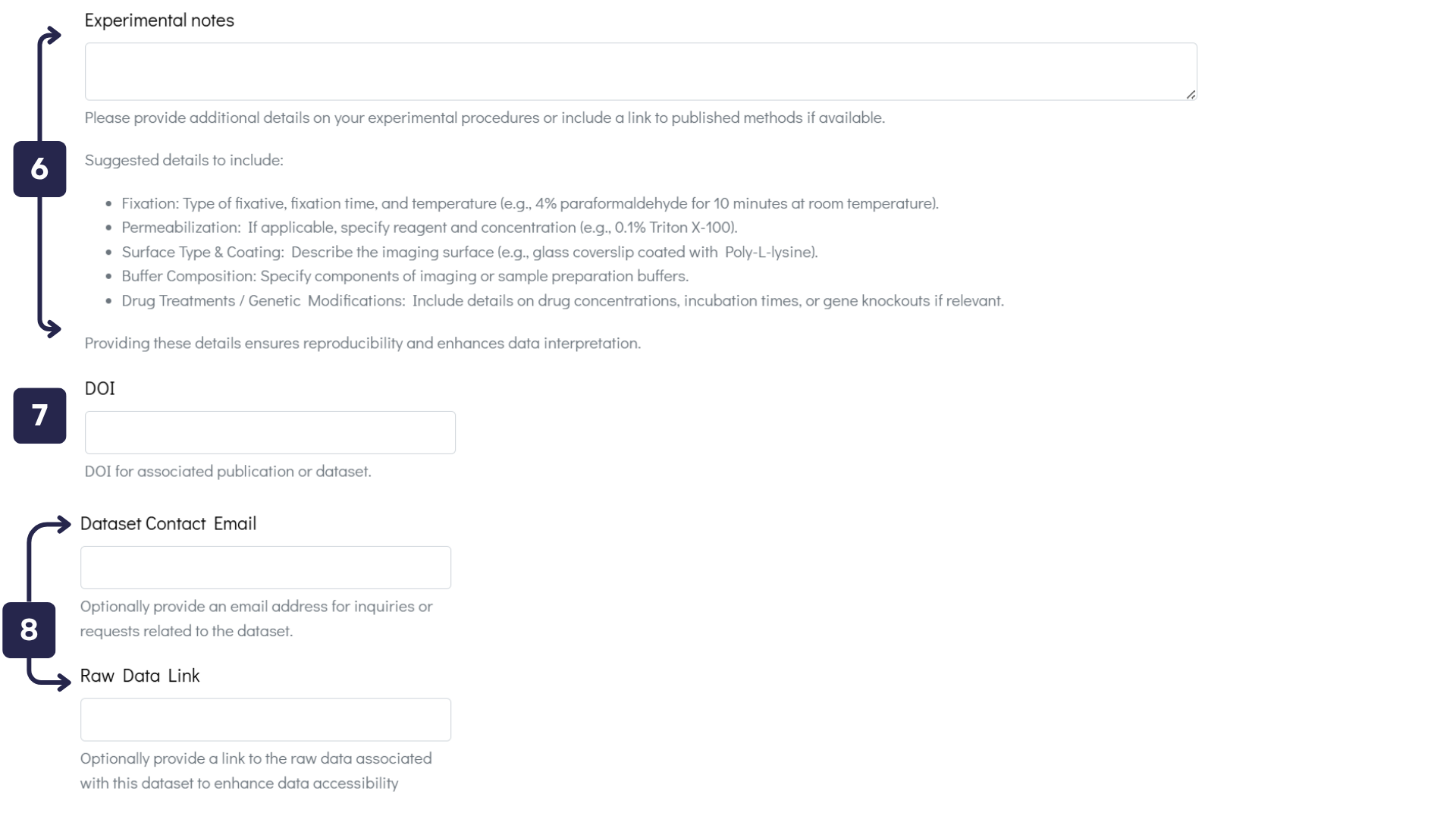
- Experimental Data Text Box: Provide comprehensive details about your experimental procedures to ensure reproducibility and enhance data interpretation.
- DOI Text Box: If your dataset is associated with a publication, please enter its DOI to facilitate citation and verification.
- Contact Details / Raw Data Text Boxes: To improve dataset accessibility, provide an email address for inquiries or include a link to the raw data.
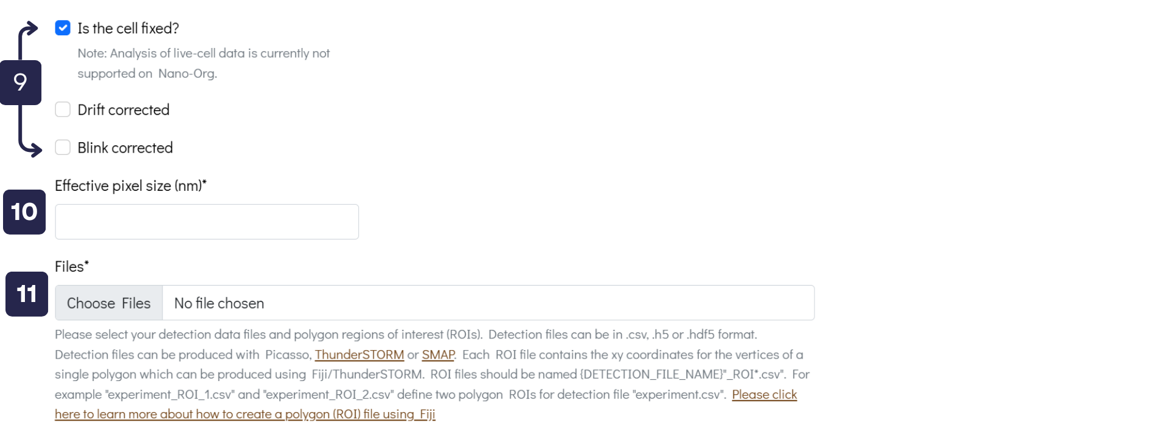
- Tick Boxes: Indicate whether the samples have undergone Drift Correction and/or Blink Correction. Note that nano-org currently supports only fixed-cell data and cannot analyse live-cell datasets.
- Effective Pixel Size Text Box: Specify the pixel size for your images, such as 100 nm.
-
Upload Files: Upload detection data files and polygon regions of interest (ROIs). Accepted
formats are:
- Detection data files:
.csv,.h5, or.hdf5 - ROI files:
.csv
{DETECTION_FILE_NAME}_ROI*.csv. For example,experiment_ROI_1.csvandexperiment_ROI_2.csvdefine two polygon ROIs for detection fileexperiment.csv. ROI files can be created using Fiji, and we provide a How to Create a Polygon Region in Fiji guide to assist you. - Detection data files:
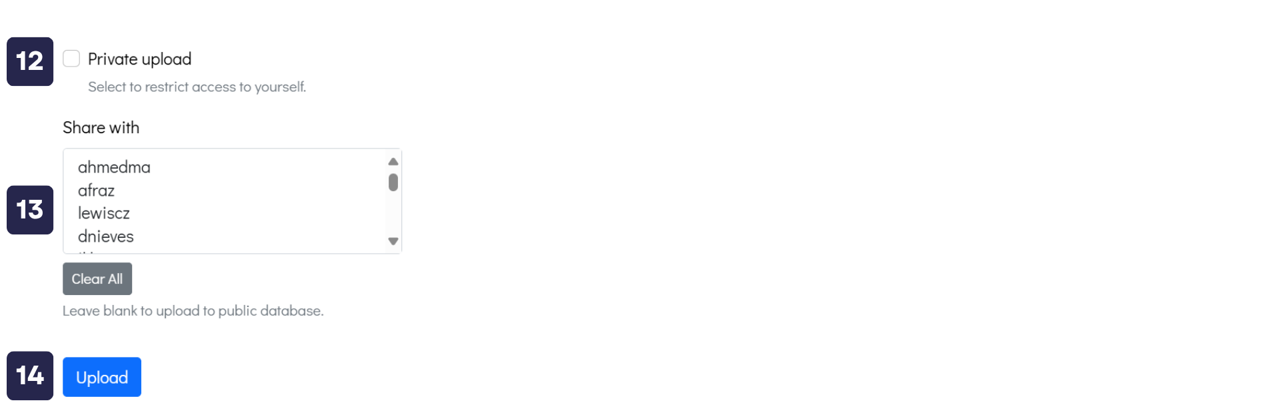
- Private Upload Option: Select this checkbox if you want to upload your dataset and keep it accessible only to yourself. You will still be able to use all analysis features on the website with your private dataset.
- Share with Specific Users: Alternatively, you can share your dataset with selected users by clicking their usernames under the “Share with” section. If neither this option nor the private upload box is selected, your dataset will be made publicly available to all registered users.
- Upload Button: Once you're ready, click this button to upload your dataset to nano-org.